


How to check if you are listed in UCE Protect Level 1?
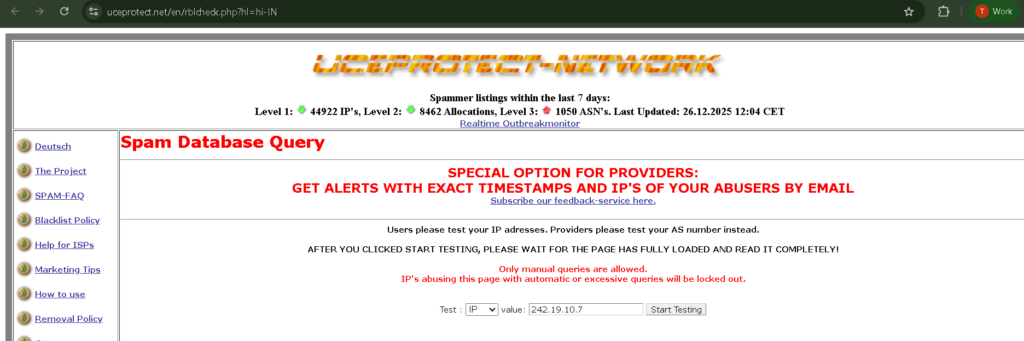
- Please visit: https://www.uceprotect.net/en/rblcheck.php
- Enter your sending IP address to check
How to remove a Domain/IP address from UCE Protect Level 1?
- Please visit: https://www.uceprotect.net/en/rblcheck.php
- Enter your blacklisted IP address
- If you see “Level 2: LISTED,” your IP is part of a blocked allocation. It will show you exactly which subnet is blocked (e.g., 1.2.3.0/24).
- UCEPROTECT is a controversial list because they do not accept manual delisting requests and they charge a fee for “expedited” removal
- Wait for Expiry: UCEPROTECT operates on a strict 7-day timer. If all spamming stops from the entire subnet, the listing will expire and be removed automatically 7 days after the last spam was detected.
- Zero Tolerance: If even one piece of spam is detected from any IP in that subnet on day 6, the 7-day timer resets for everyone
- UCEPROTECT offers a “Whitelister” service. For a fee (usually around 25-50 CHF/Euros), you can pay to have your specific IP address ignored by the Level 2/3 blocks
- They charge a fee for “expedited” removal