
Email Verification Status Explained: What Each Result Means (and What to Do About It)
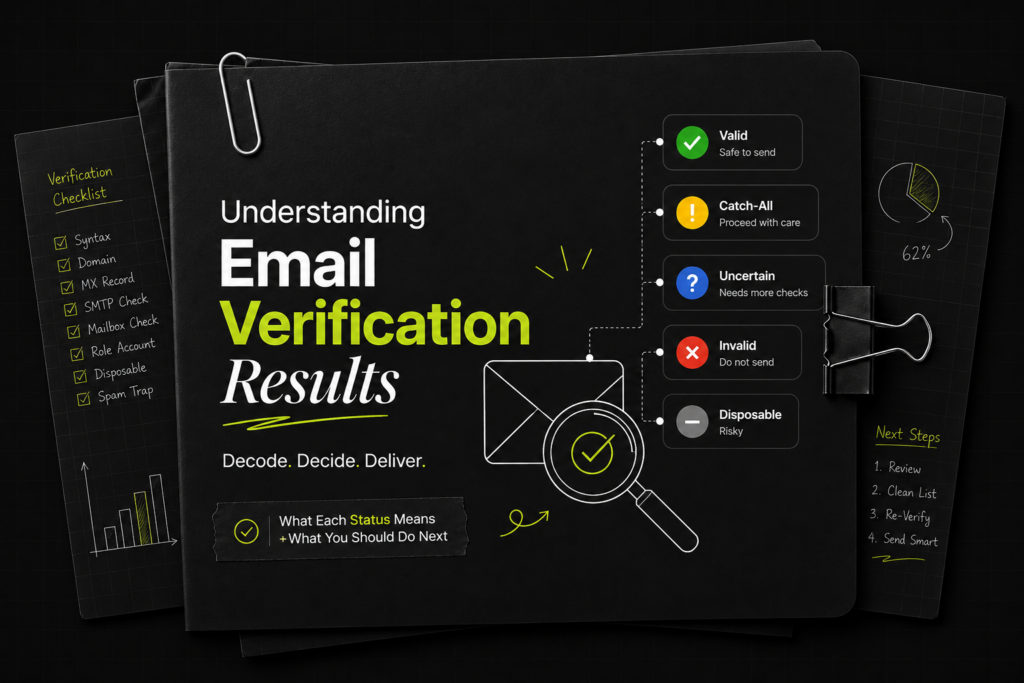
Every email you send is a small bet on your sender reputation. Land in a real, active inbox and you earn a little more trust with mailbox providers. Hit a dead address, a spam trap, or a throwaway inbox and you chip away at the deliverability you’ve spent weeks warming up. The math is brutal: […]
Best Websites to Buy Inboxes for Cold Email in 2026

Buying cold email inboxes is one of those tasks that looks deceptively simple, until you’ve spent $300 on mailboxes that burn within 30 days, watched your reply rates crater, and started the whole cycle over. The market for cold email inboxes is full of low-quality providers selling warmed-but-not-really accounts that fail fast. This post is […]
Why Cold Email Outreach is the Most Powerful Growth Channel in 2026?

If you have never tried cold email outreach, you might be overlooking one of the simplest and most reliable ways to grow your business. Many founders and marketers still assume cold email is “spam,” but real cold outreach is not spam at all. It is a direct, personal, one-to-one message delivered to someone who can […]
UCEPROTECTL3: Should You Really Worry About It?

If you work with cold email or run email infrastructure, you will eventually come across different blocklists. One name that shows up often is UCEPROTECT, especially UCEPROTECTL3. For many people, seeing their IP on a blacklist immediately causes panic. But in reality, UCEPROTECTL3 is usually not something you need to lose sleep over. Let’s explain […]
Kundenserver Blacklist Check & Removal Process

How to check if you are listed in the Kundenserver? How to remove a Domain/IP address from Kundenserver?
ORVE DB Blacklist Check & Removal Process
How to check if you are listed in ORVE DB? How to remove a Domain/IP address from ORVE DB?
How to Add NS Records in Google Cloud
1. Find your NS records from your DeliverymanAI Dashboard & Copy them 2. Log in to your Google Cloud account & go to Cloud Home 3. Paste/Replace Old Nameservers 4. Wait for Google Cloud to propagate
How to Add NS Records in DynDNS
1. Find your NS records from your DeliverymanAI Dashboard & Copy them 2. Log in to your Dyn account & go to Overview 3. Paste/Replace Old Nameservers 4. Wait for Dyn to propagate
How to Add NS Records in ResellerClub
1. Find your NS records from your DeliverymanAI Dashboard & Copy them 2. Log in to your ResellerClub account & go to Products 3. Paste/Replace Old Nameservers 4. Wait for ResellerClub to propagate
How to Add NS Records in Etisalat
1. Find your NS records from your DeliverymanAI Dashboard & Copy them 2. Log in to your Etisalat account & go to Domain Dashboard 3. Paste/Replace Old Nameservers 4. Wait for Etisalat to propagate