



How to check if you are listed in DroneBL DNSBL?
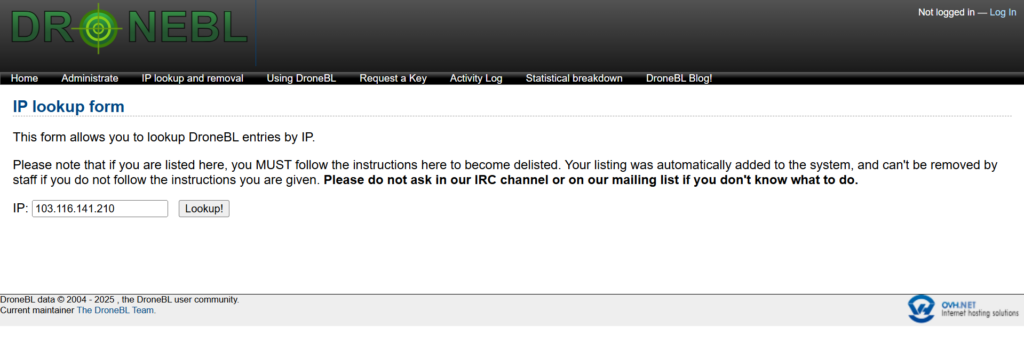
- Please visit: https://dronebl.org/lookup
- Enter your IP address. If you are browsing from the affected device, it may auto-populate the IP address.
How to remove a Domain/IP address from DroneBL DNSBL?
- Please visit: https://dronebl.org/lookup
- Enter your blacklisted IP address.
- Once you see the listing details, follow the specific on-screen instructions to initiate the “quick delisting process”.
- Briefly explain that the security vulnerability has been patched and the system is now secure
- Delisting is handled by volunteer maintainers and can take several days to a week.
- If your IP is not removed within one week, DroneBL allows you to contact their team directly via IRC (Internet Relay Chat) for an update on your request status.