

This is the third post in our Cold Email Myths series, where we take the things everyone repeats about cold email and check them against real campaign numbers.
Your dashboard says 98% delivered. Bounce rate under 2%. No errors. Everything looks healthy.
And almost nobody replies.
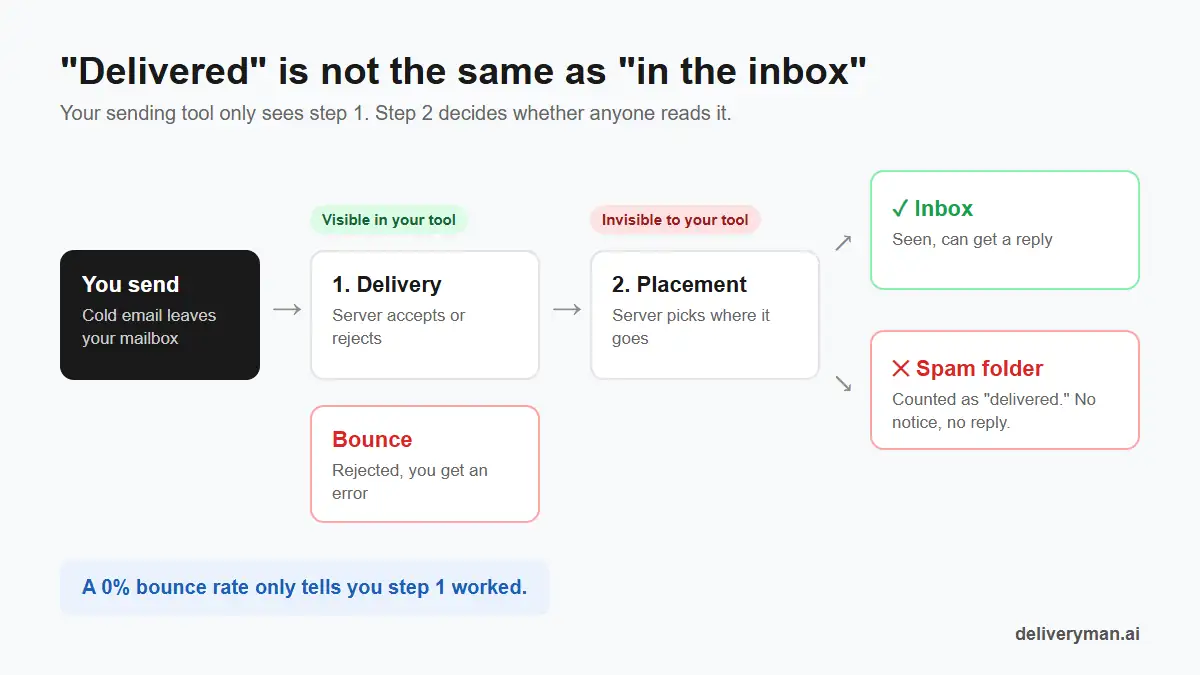
This is one of the most expensive myths in cold email: if an email didn’t bounce, it must have reached the inbox. It didn’t. “Delivered” only means the receiving server accepted your email. It says nothing about inbox placement: whether that email landed in the inbox, the spam folder, or a tab nobody checks.
Delivery rate vs. inbox placement: what’s the difference?
When you send an email, two separate things happen:
- Delivery. The receiving server (Gmail, Outlook, a company mail server) decides whether to accept the email at all. If it refuses, you get a bounce.
- Placement. After accepting it, the server decides where to put it: the primary inbox, a tab like Promotions, or spam. You are not told which.
Your sending tool can see step 1. It can’t see step 2. That’s why a campaign can show near-perfect delivery while most of it sits in spam folders.
| Delivery rate | Inbox placement | |
|---|---|---|
| What it measures | Was the email accepted? | Did it reach the inbox? |
| Shown in your sending tool | Yes | No |
| What hurts it | Invalid addresses, blocked domains | Low sender reputation, spam complaints, spammy content, missing authentication |
| What a “good” number means | Your list is clean | People can actually see your email |
A low bounce rate is necessary. It’s just not enough.
Why people believe the myth
- Spam doesn’t send a notice. A bounce comes back with an error. An email filed in spam comes back with nothing.
- Tools say “delivered.” Most dashboards show delivery and bounce rates front and center, so they feel like the full picture.
- Open rates hide the problem. Privacy features like Apple Mail Privacy Protection and security scanners “open” emails automatically, even ones in spam. Open rates can look fine while real people never see the email.
So the team sees good delivery, decent opens and no replies, and blames the copy. They rewrite the email, send it into the same spam folder, and get the same result.
Signs your cold emails are landing in spam
You can’t see placement directly in your sending tool, but you can see its effects. Watch for these:
- Reply rate drops suddenly while bounce rate stays low.
- Replies dry up from one provider, for example Outlook leads stop replying while Gmail leads still do.
- Replies drop on one domain or mailbox while others running the same campaign stay steady.
- Prospects say “I found this in spam” when they do reply.
- Open rates look normal but replies are near zero. Opens from bots and privacy features can make a spam problem look like a copy problem.
How to check your inbox placement
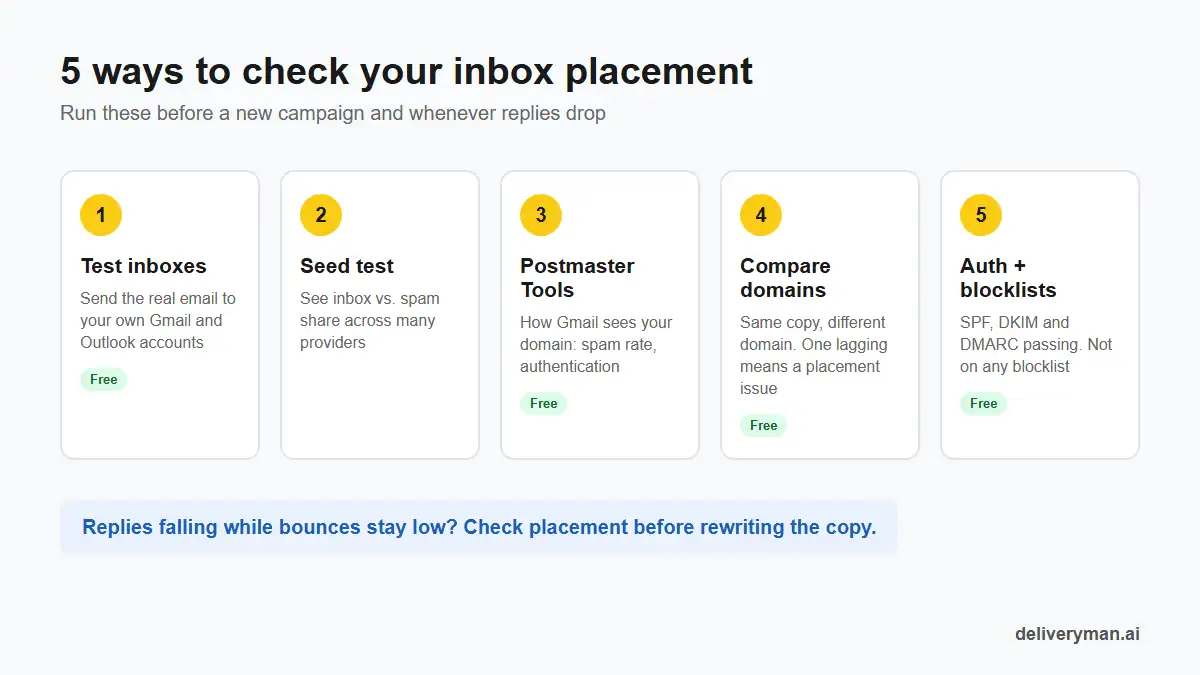
An inbox placement test doesn’t need to be expensive. Four of these five checks are free, and together they tell you whether your cold emails are reaching people.
1. Send to your own test inboxes
Keep a few test accounts on Gmail, Google Workspace, Outlook.com and Microsoft 365. Send your real campaign email to them from your real sending mailboxes and see where it lands. It’s simple, free and closer to reality than any score.
2. Run a seed test
Inbox placement tools send your email to a list of “seed” inboxes across many providers and report the share that landed in inbox, tabs or spam. Run one before a new campaign and any time replies drop.
3. Check Google Postmaster Tools
Google Postmaster Tools is free and shows how Gmail sees your sending domain, including spam complaint rate and authentication results. It needs a fair amount of Gmail volume to show data, so it works best as an extra check across your domains rather than the only one.
4. Compare replies by domain and mailbox
If you send from several domains, you have a built-in test. Same copy, same list quality, different domain. If one domain’s reply rate falls well below the others, the problem is that domain’s placement, not the email.
5. Check blocklists and authentication
Make sure SPF, DKIM and DMARC pass on every sending domain, and check your domains and sending IPs against major blocklists. Either problem can push mail to spam without a single bounce.
How to improve inbox placement for cold email
Inbox placement is the core of email deliverability. Good placement comes from a handful of basics:
- Authenticate every domain. SPF, DKIM and DMARC set up and passing.
- Warm up before you send. New domains and mailboxes need a history of normal, engaged email before cold outreach.
- Keep volume low per mailbox and per domain. To send more, add domains instead of pushing volume.
- Verify your list. Bounces are the one placement signal you can see, and they hurt reputation fast. Keep them under 2%.
- Write plain, short emails. No heavy formatting, no image-only emails, few or no links, and no tracking pixels in the first email if you can avoid it.
- Target tightly. Relevant emails get replies and fewer spam complaints, and both tell providers your mail is wanted.
- Rest a domain when it slips. If one domain’s placement drops, pause cold sending from it and let warm-up rebuild its reputation while your other domains carry the campaign.
What good placement looks like in real numbers
You can’t get high reply rates from the spam folder. Two real campaigns run on Deliveryman both had a 0.73% bounce rate, but the low bounce rate wasn’t the proof. The replies were:
- 46.12% reply rate, 564 replies from 1,226 independent publishers, across two warmed-up domains. Read the case study.
- 22.66% reply rate, 92 replies from 409 local business owners, from one domain. Read the case study.
Reply rates like that only happen when the emails are actually seen. That’s why replies, not delivery, are the number to watch.
Quick inbox placement checklist
- Don’t treat “delivered” as “in the inbox.”
- Keep test inboxes on Gmail and Outlook and check them before every campaign.
- Run a seed test when replies drop.
- Compare reply rates by domain, mailbox and provider.
- Make sure SPF, DKIM and DMARC pass on every domain.
- Check blocklists regularly.
- Keep bounces under 2% and spam complaints under 0.3%.
- Judge every campaign by replies.
FAQ
What is inbox placement?
Inbox placement is the share of your emails that land in the recipient’s inbox rather than the spam folder or another tab. It’s different from delivery rate, which only shows whether the email was accepted by the receiving server.
Does a low bounce rate mean my emails reach the inbox?
No. A low bounce rate means your emails were accepted. They can still be filtered into spam, and you won’t get any notice when that happens.
How do I know if my cold emails are going to spam?
Send to your own test inboxes on Gmail and Outlook, run a seed test, and compare reply rates across domains and mailboxes. A sudden drop in replies with no rise in bounces is the most common warning sign.
How do I run an inbox placement test?
Send your real campaign email, from your real sending mailboxes, to test inboxes on Gmail, Google Workspace, Outlook.com and Microsoft 365, and note where it lands. For a wider view, use a seed testing tool that sends to inboxes across many providers and reports the share that reached the inbox, tabs or spam.
What is a good inbox placement rate for cold email?
Aim for as close to all of your emails reaching the inbox as you can. If a seed test shows a large share going to spam on any major provider, fix that before sending more.
Want better inbox placement without the setup? You bring the domains. Deliveryman turns each one into 15 warmed-up mailboxes, sets up SPF, DKIM and DMARC, verifies your list and spreads your sending so no mailbox carries too much. See pricing.